 Drawbly
Technical explanations · Drawbly
How does hybrid search pick context for a RAG answer?
By Drawbly ·
Hybrid search asks two different retrieval methods for candidates: full-text search looks for words and identifiers, while vector search looks for related meaning. Their ranked lists can then be merged into one list for a retrieval-augmented generation (RAG) system. Here is a small example you can check line by line.
One question with an exact identifier
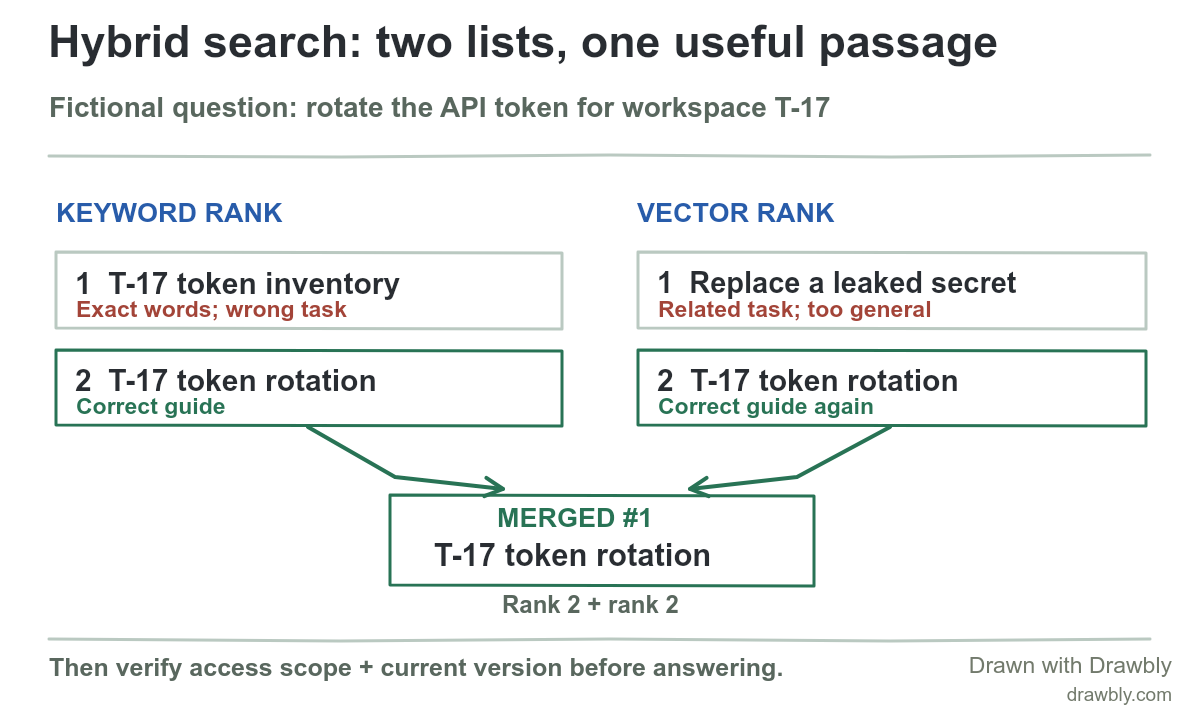
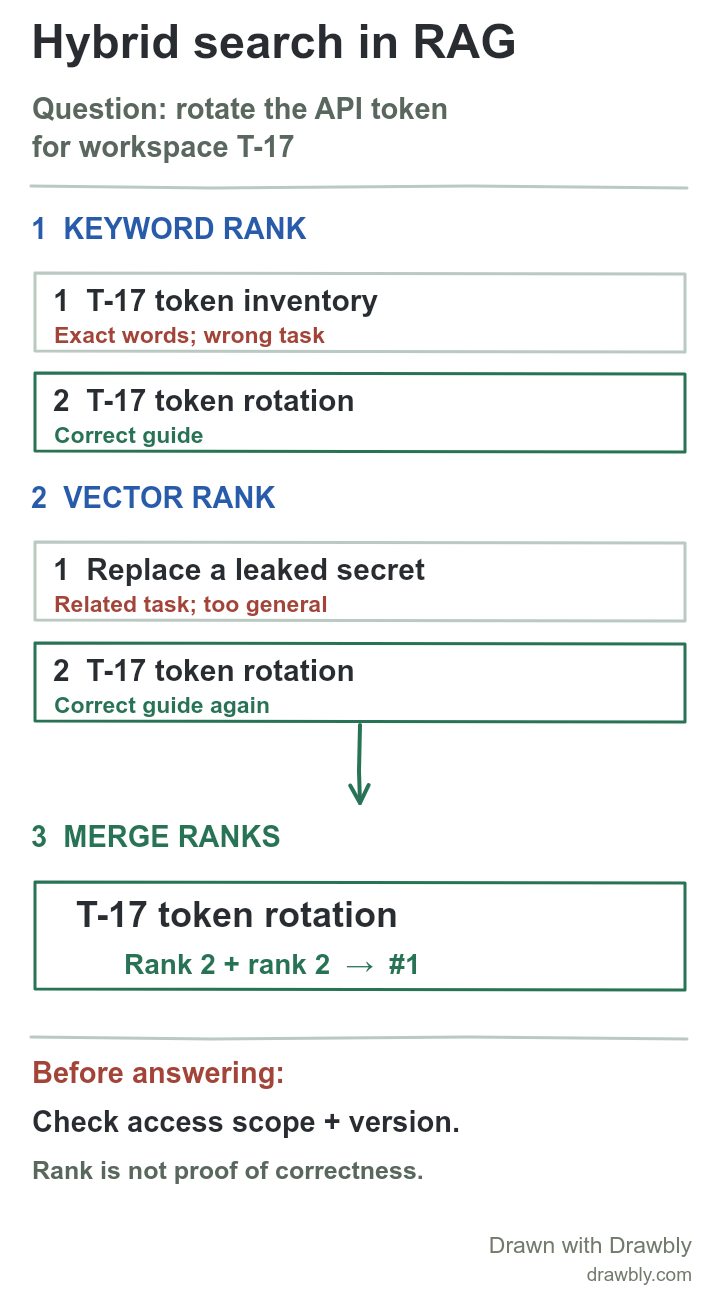
Suppose a teammate asks, “How do I rotate the API token for workspace T-17?” The fictional internal documentation has a T-17 token inventory, a T-17 token rotation guide, and a general guide called “Replace a leaked secret.” The useful answer must come from the current rotation guide that this teammate is allowed to read. These documents and ranks are invented for teaching; no Drawbly user data or production search result is involved.
A full-text query can preserve the exact workspace ID. A vector query can retrieve “rotate” instructions even when the guide says “replace credentials.” Azure AI Search's hybrid-search overview describes running text and vector queries in parallel; it notes that exact codes and specialist terms often suit keyword matching. The vector-search guide explains how the semantic side finds candidate passages.
Read both candidate lists before combining them
Keyword list. Rank 1: “T-17 token inventory” (the identifier and token match, but it is the wrong task). Rank 2: “T-17 token rotation” (the passage needed for this question).
Vector list. Rank 1: “Replace a leaked secret” (similar task, but too general). Rank 2: “T-17 token rotation” (again the passage needed).
Neither list's first hit is enough. The rotation guide appears near the top of both. A hybrid system can use that agreement to move it ahead, provided the guide was actually in both candidate pools. If the correct passage was omitted from both lists, merging cannot invent it.
What does “merge” mean here?
One common method is reciprocal rank fusion (RRF). It works with positions instead of comparing a text score directly with a vector similarity score. With an illustrative constant of 60, each appearance contributes 1 / (60 + rank). The rotation guide gets 1/62 + 1/62 ≈ 0.03226. A candidate appearing only at rank 1 gets 1/61 ≈ 0.01639. So the guide wins this toy merge. Azure's RRF explanation documents this formula for its implementation. Other systems and settings can merge ranks differently.
This is a ranking calculation, not a probability that the guide is correct. It also does not prove the teammate may see the document. Choosing candidate counts, filters, weights, or an optional later reranker changes what reaches the final list. Those are retrieval design choices to test, not facts a diagram can decide.
Before the passage reaches an answer
- Enforce access scope. Keep documents for other workspaces and people out of the answer path. Test the filter at the stage your search service actually applies it.
- Check the current version. A highly ranked old rotation procedure can still be unsafe advice. Keep source, owner and version metadata with each passage.
- Evaluate both stages. In a small labeled question set, check whether the needed passage appears in the retrieved top results. Then check separately whether the generated answer follows that passage. The RAG evaluation example shows why those failures need different fixes.
Microsoft's RAG retrieval guide describes hybrid candidate generation and ranking. This drawing leaves out index construction, authentication and answer generation so the two candidate lists are easy to inspect. Add those boundaries when reviewing a real system.
Sketch your own retrieval decision
Open the editable drawing and replace the fictional question and document names. Mark a useful passage in each list, then show where the lists meet and where access and freshness are checked. Keep the first version to a few candidates. You can download the portrait drawing for a vertical explanation. Drawbly edits the diagram; it does not run a search index.
Azure AI Search: hybrid search overview, RRF ranking, and RAG information retrieval. The T-17 corpus and rankings are fictional.