 Drawbly
Drawbly · Your ideas, in your own lines
Give an agent a way to draw.
Drawbly is a drawing canvas that keeps marks editable. An agent can prepare the labels and stroke points; a person can open the result and change it. Start with an existing diagram in the browser, or render one locally from a JSON recipe.
No setup
Start in the browser
Open an editable agent workflow diagram, then change the labels and marks on the canvas. Export a PNG or save a .drawing.json file from Files. No signup.
Terminal agent
Make an image locally
Download the Drawbly renderer kit. Extract it, then use Node.js 22.14+ in that folder:
npm install
node render-image.mjs templates/api-request-flow.video.json first-drawing.png
You get first-drawing.png with Drawbly credit and first-drawing.drawing.json to edit in the browser. The image path needs no FFmpeg.
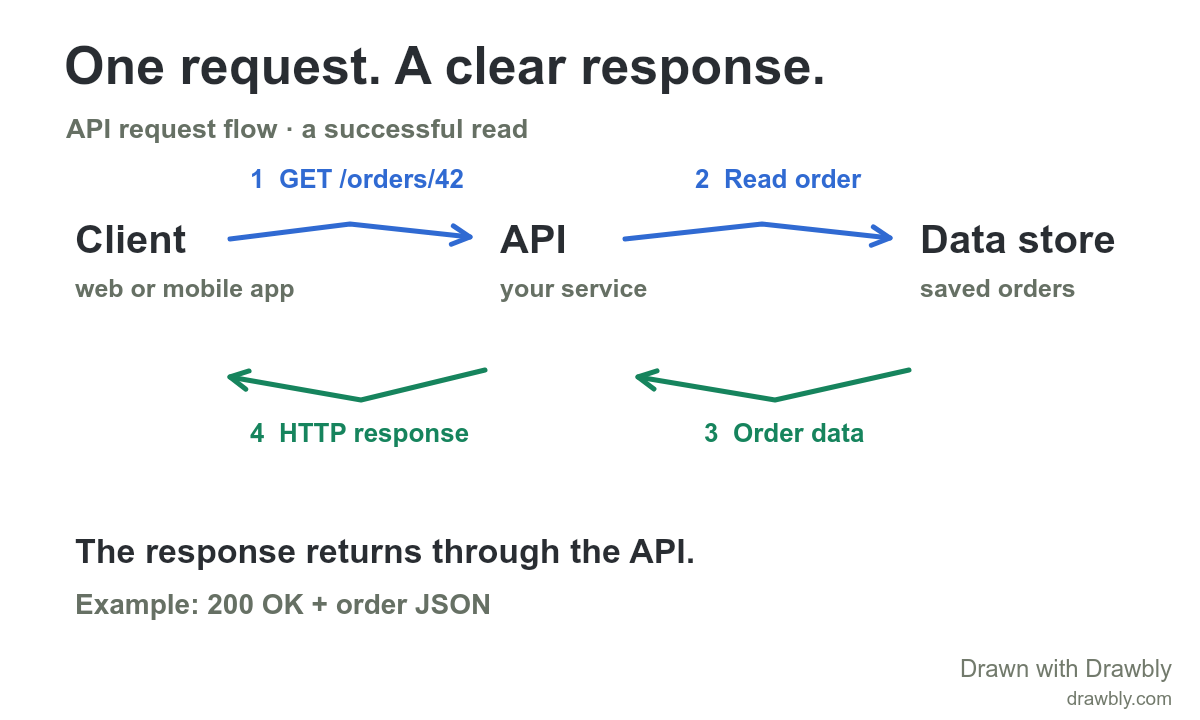
What the agent edits
The example recipe is plain JSON. Set a title, canvas size and an events list. Each event has an at time, duration and one object: text, pen, arrow or shade. A stroke stores actual pixel points, color and width. For a still image, Drawbly renders the final state; the same recipe can produce a video later.
{
  "kind": "drawbly-video", "version": 1,
  "title": "A simple handoff", "canvas": [1000, 700],
  "duration": 2, "framing": "original",
  "events": [
    {"at": 0, "duration": 0, "object":
      {"type": "text", "text": "Idea", "x": 100, "y": 210,
       "fontSize": 52, "color": "#292d32"}},
    {"at": 0, "duration": 0, "object":
      {"type": "arrow", "points": [[265, 245], [440, 225], [615, 245]],
       "width": 8, "color": "#e32d38"}},
    {"at": 0, "duration": 0, "object":
      {"type": "text", "text": "Draft", "x": 650, "y": 210,
       "fontSize": 52, "color": "#292d32"}}
  ]
}
Save that JSON as handoff.video.json, then run node render-image.mjs handoff.video.json handoff.png. Existing output files are never overwritten. The renderer validates coordinates and limits, reads local assets beside the recipe, and does not call an AI API or upload your drawing. Installing its Node dependency needs internet; rendering runs locally.
Use browser agent tools when available
On the canvas, browsers that support WebMCP expose read_drawing, add_drawing_text and add_drawing_stroke. Read the canvas dimensions first; then add one editable label or pen, arrow or highlight stroke at a time. Each edit is saved in this browser and can be undone. The browser tools are an optional interface, not a hosted drawing API or a generally available MCP server. In other browsers, use the visible canvas or local recipe renderer.
Need motion or narration?
The same kit can render a video with local FFmpeg and ffprobe: node render-recipe.mjs example.video.json first-video.mp4. The video recipe guide covers timing, captions, local image and narration files, and browser recipe tools. Generated strokes and synthetic narration should be described honestly; they are not a person's hand-drawn work.
What stays on your device
The canvas keeps a local browser draft. The local renderer writes files to your computer. No product account, cloud drawing save, hosted AI drawing service, or remote agent API is available. Free image and video outputs include “Drawn with Drawbly” and drawbly.com. See privacy and storage and the concise agent instructions.