 Drawbly
Technical explanations · Drawbly
How to keep an architecture diagram current after code changes
By Drawbly ·
Keep an architecture diagram useful by tying it to one question and checking it whenever that part of the system changes. In a review, compare the drawing with the changed code or deployment path, redraw the affected connection, and save an editable copy beside the explanation. A diagram without that review step will drift.
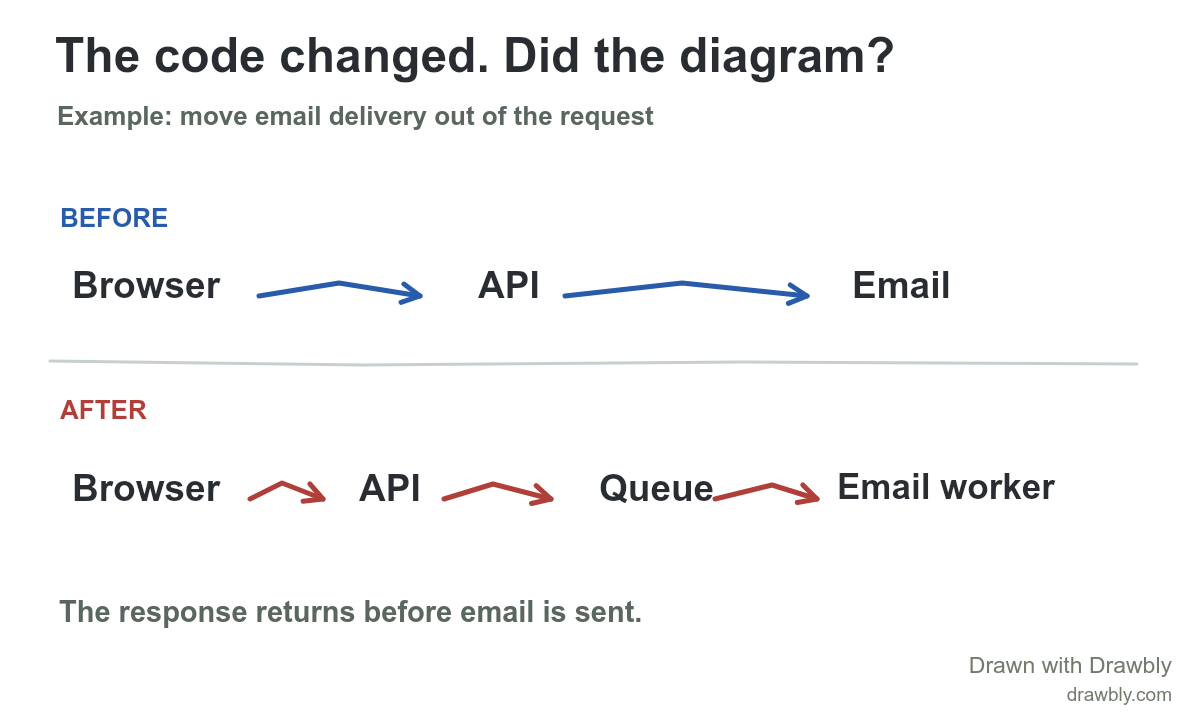
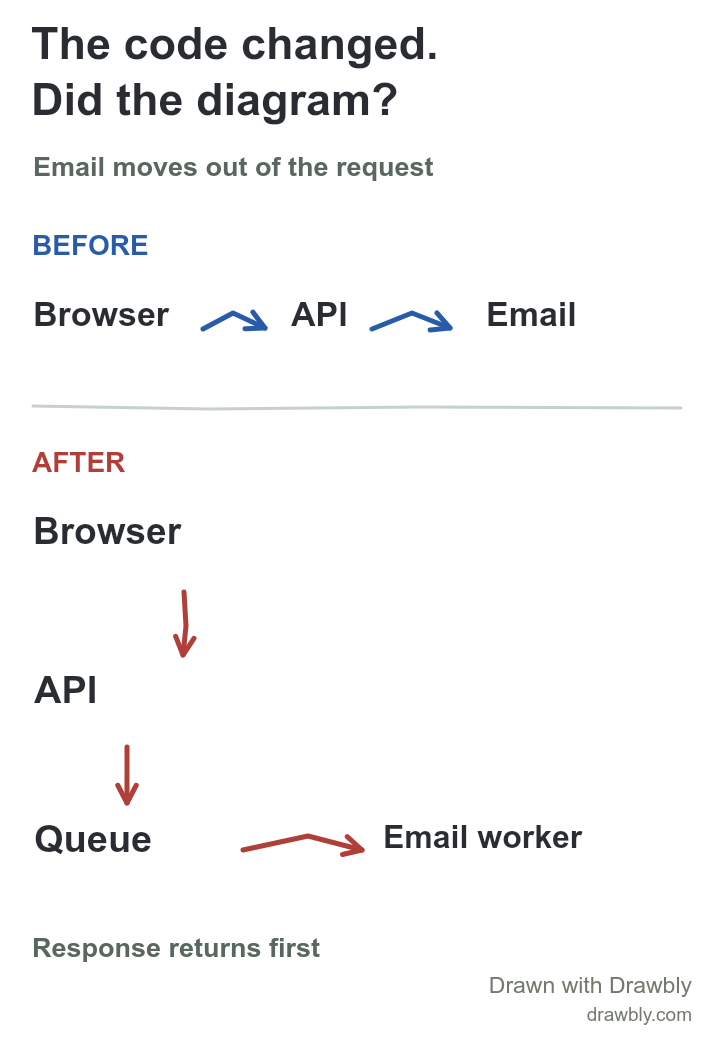
What changed in the example?
Before the change, a request reaches the API and the API sends the email before returning. The team moves delivery to a queue. After the change, the API enqueues a job and returns; an email worker later handles delivery. The useful diagram update is the new API → queue → worker path, plus the changed timing. A polished redraw of the old API → email arrow would still be wrong.
This is a narrow request-path view, not a complete inventory of services, retries, queue storage or error handling. If the question is what happens when the worker fails, draw a second failure-path view. Keeping one question per drawing makes drift easier to spot.
A four-step review practice
- Name the claim. Write the sentence the diagram should support: “The API responds before email delivery.” If the sentence changes, the drawing probably needs review.
- Check the source of truth. Inspect the changed handler, queue publisher and worker, or ask the implementer for the exact execution path. Do not infer behavior from a ticket title or an AI summary alone.
- Change only the affected path. Update the arrow and labels that changed. Add the queue and worker, remove the direct API → email path, and label timing if the audience needs it.
- Review at the size people use. Export a PNG and inspect it in the document or slide where it will appear. Keep the editable drawing file with the change record, and set a trigger to revisit it when the same path changes again.
An assistant can propose this revision from a PR diff and the old drawing, but a reviewer should verify the proposed path against the implementation. Drawbly does not inspect code, detect drift or keep a drawing synchronized automatically.
When is diagram as code a better fit?
If every architecture change must create a text diff and pass the same repository review as code, a model-as-code tool may suit that workflow. Structurizr, for example, represents a C4 model as text and supports version-control workflows. A Drawbly drawing is useful when someone needs to sketch a specific path with a human mark, discuss it and export a readable image. You can keep its editable JSON file with a PR or document, but it will not update itself from that PR.
Update your own diagram
Use the wide example or download the phone layout and open it from Drawbly's Files menu. Change the components to match one real system change and delete any arrow you cannot verify. The small web-app architecture template is a broader starting view if you do not yet have a drawing.
Structurizr documentation and Why architecture as code? describe a version-controlled alternative. The before/after system in this post is illustrative, not a measured Drawbly deployment.