 Drawbly
Technical explanations · Drawbly
How to chunk documents for RAG without losing the rule
By Drawbly ·
A RAG chunk is a piece of source text that an application can retrieve for a question. A good chunk contains enough context to interpret the answer it supports. The number of tokens matters, but a boundary through a condition, exception or heading can change the meaning of what retrieval returns.
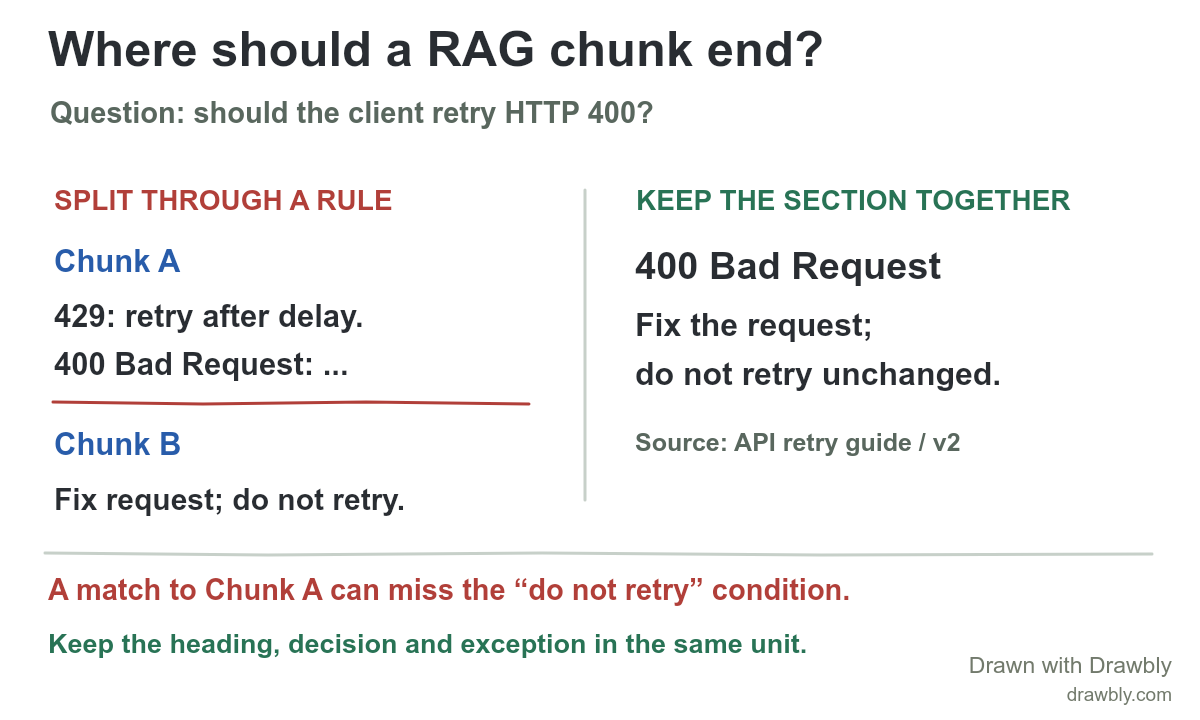
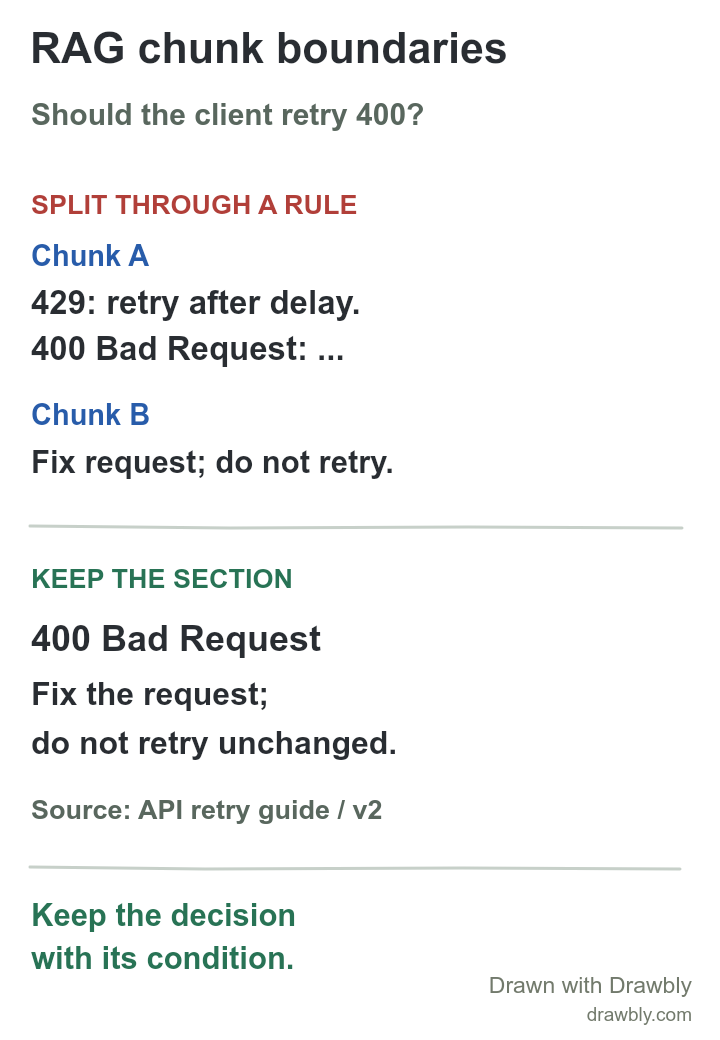
What goes wrong when a rule is split?
Imagine a fictional API retry guide with two adjacent sections: “429 Too Many Requests: retry after the specified delay, up to three attempts” and “400 Bad Request: fix the request; do not retry it unchanged.” A fixed-size splitter happens to end a chunk immediately after the 400 Bad Request heading. Its next chunk contains the instruction. When someone asks, “Should I retry a 400?”, a search result could include the status code and the nearby 429 retry rule while omitting the sentence that answers the question. The retrieved passage would be incomplete, even if its words look relevant.
Keep the 400 heading and its instruction in one retrievable unit, with a link to the original guide and its version. This example illustrates the boundary problem; it does not claim a particular vector search would rank the incomplete passage first. The earlier vector retrieval guide shows how an index finds candidate passages. Here the design decision happens earlier, while preparing documents.
How do you make useful chunks?
- Parse the document first. Preserve headings, paragraphs, lists and table relationships instead of slicing raw characters across them. In this example, each status-code section is a natural starting unit.
- Keep a decision with its qualifiers. The status, action, limit and exception should fit together. If a section is too long for the embedding or answer context limits, split at a smaller logical boundary and carry the heading into each child.
- Store enough provenance. Keep a stable chunk ID, document title, section, URL and version so a retrieved sentence can be traced to the current source. Metadata also helps filter or refresh stale material.
There is no universal token count. Large chunks may carry several unrelated topics; tiny chunks can lose the condition that makes an answer true. Azure AI Search's chunking guide describes fixed, sentence/section and semantic approaches and recommends tuning size and overlap to the content and questions. Its example settings are starting points for a particular system, not a guarantee for yours.
Would overlap or a parent chunk fix it?
Overlap repeats some text on both sides of a boundary. If it repeats the missing “do not retry” instruction, it may make the 400 chunk self-contained. But overlapping a fixed number of tokens is not proof that every exception or table header survived. It also creates duplicate indexed text. For structured documents, start by preserving sections; use overlap where the content naturally spans sections or a fixed split is unavoidable.
A hierarchical approach can search small child chunks and return a larger parent section for answer context. Amazon Bedrock's chunking documentation describes that pattern alongside fixed and semantic chunking. The parent can restore context after a narrow match, but it still needs a correct source and version. The application must verify that the returned context actually supports the answer.
How do you tell whether the chunks work?
- Collect representative questions. Include direct, paraphrased and negative questions, such as “Can I retry 400?”, “What about 429?” and “When should I stop retrying?” Label which section should answer each one.
- Inspect the top results. Check whether the right section appears, whether the retrieved text includes its qualifier, and whether old versions or adjacent sections crowd it out. Record the retrieval settings and chunk IDs so a change can be compared.
- Check generated answers separately. A complete chunk can still be misused by a model. Verify that each answer cites the correct section and does not turn an instruction into a different claim. The two-path RAG overview separates document preparation from answer generation.
Start with these failure cases before trying a more elaborate splitter. Measure the real question set after each change; an attractive diagram alone cannot establish better retrieval.
Draw the boundary in your own document
Open the editable wide drawing and replace the fictional retry guide with one actual source section. Mark a boundary that separates a claim from a qualifier, then draw a revised retrievable unit with its title and version. The portrait drawing is also editable after opening it from Drawbly's Files menu. Drawbly does not split or search documents; the drawing helps you review a chunking decision with your team.
Azure AI Search: Chunk large documents for RAG and vector search and Amazon Bedrock: How content chunking works for knowledge bases. The API guide and retrieval outcome in this article are illustrative.