 Drawbly
Technical explanations · Drawbly
Single agent vs multi-agent: draw the handoff first
By Drawbly ·
Start with one agent and the tools it needs. Add another agent when it can do a genuinely independent part of the work, needs a separate permission boundary, or can fail and retry without losing the whole task. Draw the handoff before adding it: what goes to the worker, and what evidence comes back?
What does the single agent do?
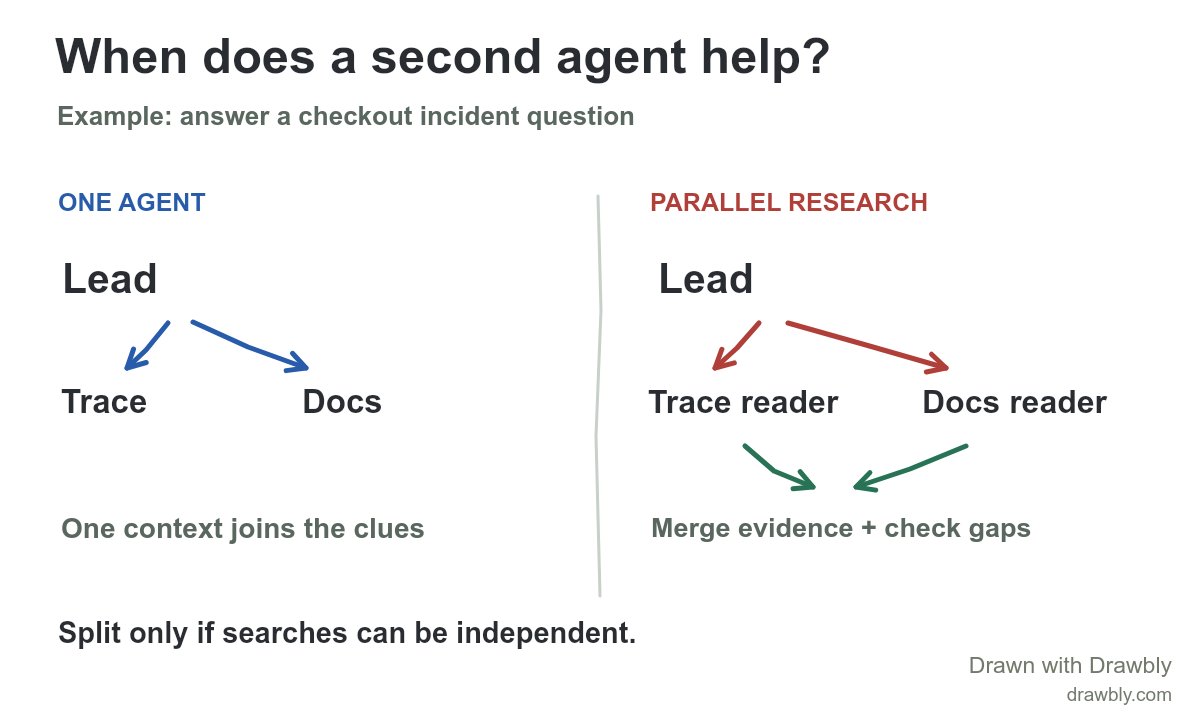
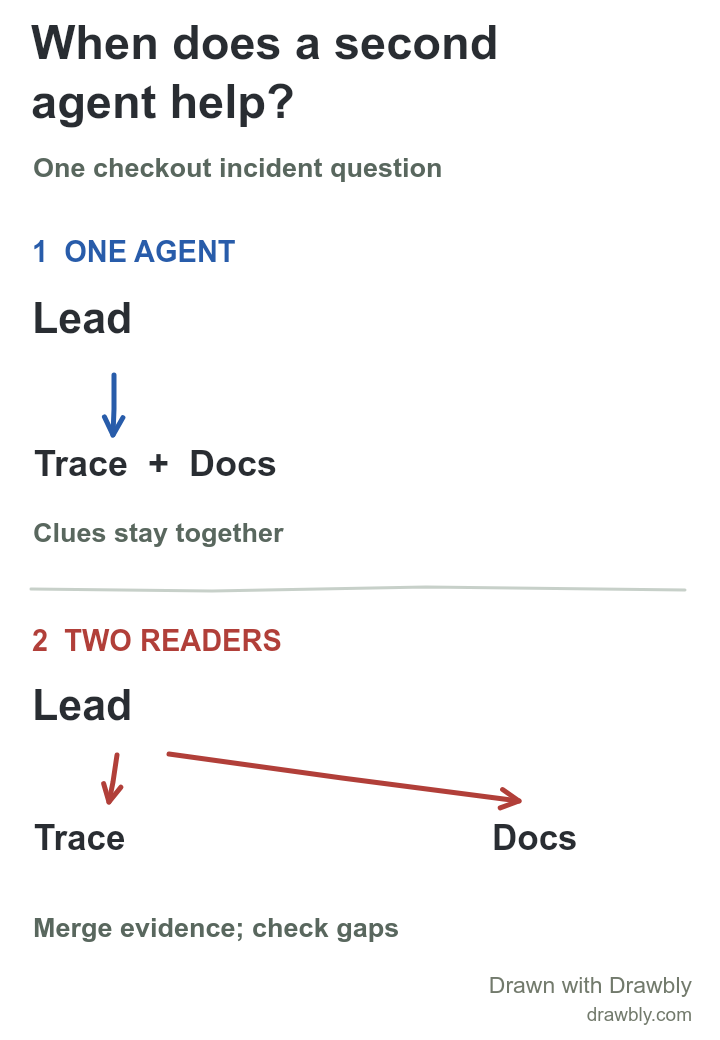
Suppose the task is, “Why did checkout fail for request 42?” The application gives one agent a trace-reading tool and access to the relevant documentation. The agent reads the trace, follows a clue to a service change, checks the documented behavior and answers with the evidence it found. One context holds the chain of clues. The agent workflow example shows the tool call and result inside that loop.
This is a useful baseline because the trace and docs may refer to each other. If the trace names a new service, the agent can decide which document to read next without a separate worker summarizing away that clue.
When might two readers help?
Now imagine the incident needs two searches that can begin independently: scan a large trace set for the first failing span and compare the last two deployment notes for changes. A lead agent can give each worker a narrow task and bring their findings together. The workers should return the exact trace IDs, document versions and relevant excerpts, not just “database problem” or “deploy changed something.” The lead still needs to check whether the findings actually connect.
A second agent also makes sense when your application actually enforces separate access. For example, one worker may be allowed to inspect internal traces while another only reads public documentation. A diagram should mark those permissions. A handoff is an application decision, not a magical improvement in reasoning; more agents add messages, latency and failure points.
How do you know the split helped?
- Run the same task both ways. Record whether the answer cites the correct trace and document, how long it takes and the total tool/model use. Do not judge from a prettier diagram.
- Inspect the handoff. Can the lead tell which worker found each fact? Did any exact identifier or uncertainty disappear in a summary?
- Exercise a failure. If the docs reader times out, can you retry only that search and keep the trace evidence? If the answer depends on one long chain of cross-references, splitting it may make the work harder.
The example is conceptual; it does not claim that Drawbly runs agents or trace searches. The OpenAI Agents SDK orchestration guide distinguishes manager-style calls from handoffs where another agent takes control. Anthropic's research-system account describes a production use of parallel research and its coordination costs. Different frameworks expose different controls, so test the actual implementation you use.
Draw the workflow you have
Open the editable wide drawing, or download the portrait drawing and open it from Drawbly's Files menu. Replace “Trace” and “Docs” with your real sources. Label what each worker receives, the evidence it returns and who owns the final answer. The MCP client/server guide explains one way a tool can be exposed to an agent. Drawbly saves your working drawing in this browser; download the editable file to keep a portable copy.